

How to Integrate Zoom with ClickFunnels 2.0 for Appointments
Hey everyone! In this guide, I'll show you how to set up Zoom for appointments in ClickFunnels 2.0. Whether you're hosting one-on-one meetings or team calls, this tutorial will help you integrate Zoom effortlessly. Let's get started!
Step 1: Access the Appointments App
- Open your ClickFunnels 2.0 account.
- Navigate to the Appointments app.
Step 2: Go to Conferencing Settings
- Click on "Conferencing" right under under "Calendar Connections."
- This will take you to the conferencing setup page.
Step 3: Add a New Conferencing Connection
- Click on "Add New Conferencing Connection."
- A new screen will pop up displaying available connections: Zoom, Microsoft Teams, and GoTo.
Step 4: Select Zoom
- Click on "Zoom" from the list of options.
- A window will open to connect your Zoom account.
Step 5: Authorize ClickFunnels to Use Zoom
- Ensure you're logged into the correct Zoom account.
- Click "Allow" to give ClickFunnels the necessary permissions to create calls on your behalf.
Step 6: Confirm the Integration
- After authorizing, you'll be redirected back to ClickFunnels.
- Your Zoom integration is now complete.
Step 7: Set Up Event Types
- Go to your event types in ClickFunnels.
- Select the event for which you want to use Zoom as the conferencing option.
Step 8: Choose Zoom as the Conference Type
- In the event settings, find the "Location Type" and "Conference Type" options.
- Select "Conferencing" and then choose "Zoom" from the dropdown.
Step 9: Default Calendar Connections
- If you're using Google Calendar, it may automatically connect to Google Meet.
- For other calendars like Microsoft Teams, follow the same steps to ensure the correct conferencing type is selected.
Conclusion
That's it! You've successfully set up Zoom for your appointments in ClickFunnels 2.0. This setup will make it easier to manage and host your calls directly through ClickFunnels. If you would like a good visual of this process, please check out the video at the top of this page. Enjoy your meetings!

Howdy, I'm Tyson
Owner Of Repair My Funnel
Growing your service business online shouldn't feel overwhelming or confusing. That's exactly why I created Repair My Funnel.
I've spent years mastering ClickFunnels and digital marketing systems, but more importantly, I've learned how to translate that expertise into simple, clear guidance for business owners who just want their online presence to work. My mission is helping established service businesses build professional websites, effective funnels, and reliable systems that attract and convert more clients without the tech stress.
Here on the blog, you'll discover practical strategies from our proven 5-pillar framework covering everything from building a solid website foundation to creating content that drives organic traffic. Whether you're a coach, contractor, wellness professional, or local service provider, you'll find step-by-step guides and real-world tactics designed specifically for service businesses like yours.
Ready to get actionable insights delivered weekly? Join the Spark & Scale Newsletter where I share my best strategies to help you attract more clients, streamline your systems, and grow your business with confidence.
Featured Articles

Learn how to test your free courses in ClickFunnels 2.0 with our detailed, step-by-step guide. Ensure a seamless experience for your students by enrolling as a test contact, exploring course content, and resolving any potential issues before your course goes live. Perfect for ClickFunnels 2.0 users looking to optimize their course offerings.

Learn how to automate your marketing efforts by triggering workflows from broadcast emails in ClickFunnels 2.0. This step-by-step guide covers everything you need to know, from setting up triggers based on email activity to practical applications that boost engagement and streamline your funnel processes.

Learn how to convert your videos into high-quality GIFs using EZGif with our comprehensive step-by-step guide. Discover tips on optimizing GIF size, adjusting frame rates, and enhancing your content for faster load times and better user engagement.
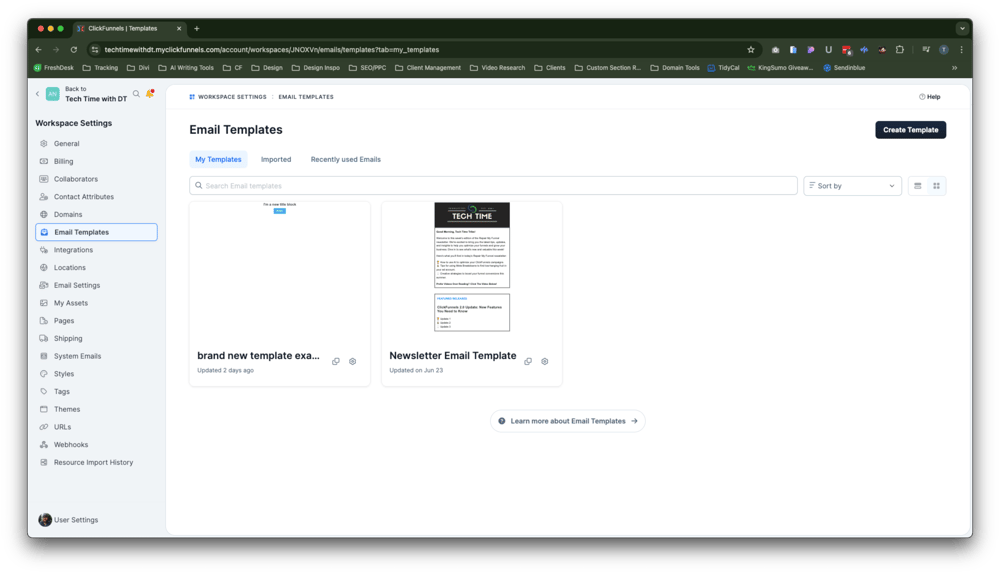
Streamline your email marketing with ClickFunnels 2.0 by creating reusable email templates. Learn how to design, manage, and troubleshoot templates to save time and maintain consistency in your campaigns. Perfect for newsletters, promotions, and more!

Latest Posts
Monday, September 30, 2024
Monday, September 30, 2024
Sunday, September 29, 2024
RepairMyFunnel.com, a DT Designs LLC Product ■ All Rights Reserved © 2024-2025 ■ 1212 5th Ave N, Apt 2, Seattle, WA 98109
Privacy Policy - Terms - Disclaimer - Contact