

Unlocking the Power of TikTok’s Genie - Your New AI Assistant

Hey everyone! Tyson here with Repair My Funnel, and today, I’ve got some exciting news that’s particularly relevant for all you business owners out there. TikTok is launching a new AI chatbot named Genie, and it’s set to revolutionize how we use the platform. Let’s break down what Genie is, what it can do, and why it’s going to be a game-changer for your business.
What is Genie?
Genie is TikTok’s latest AI innovation designed to assist users with various tasks directly within the app. Here are some of the key features and capabilities that Genie is expected to offer:
- Answering Questions: Genie can provide real-time answers to user questions, making it easier to find information quickly without leaving the app.
- Content Suggestions: Struggling with content ideas? Genie can suggest fresh, relevant content tailored to your niche, helping you keep your creative juices flowing.
- Interactive Assistance: From navigating the app to setting up live streams, Genie offers hands-on help to enhance your TikTok experience.
- Enhanced User Experience: By simulating conversations and facilitating interaction between users and AI, Genie aims to make your time on TikTok more engaging and productive.
Why This Matters for Business Owners
The introduction of Genie isn’t just a cool new feature; it’s a strategic tool that can significantly benefit your business. Here’s why:
- Boosted Engagement: With Genie’s help, you can increase engagement by interacting with your audience more effectively. This can lead to higher retention rates and more loyal followers.
- Streamlined Content Creation: Content creators can use Genie’s suggestions to streamline their content creation process, making it quicker and easier to produce high-quality videos that resonate with your audience.
- Advanced Analytics: Genie can potentially help analyze user interactions and provide insights, allowing you to fine-tune your marketing strategies and improve your funnel performance.
- Enhanced Customer Service: Use Genie to handle basic customer inquiries directly through TikTok, providing quick responses and improving overall customer satisfaction.
Additional Capabilities
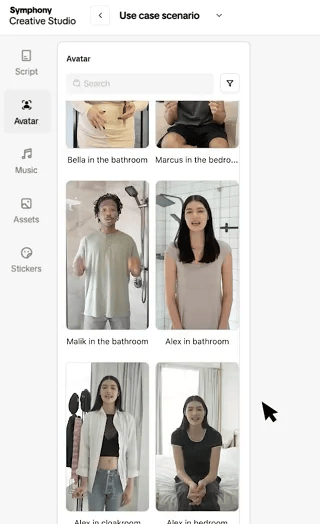
Genie is not just about answering questions and offering content suggestions. According to Metricool, Genie will enable users to pose questions within the app and get immediate responses. This is similar to AI tools used in other platforms like Meta, enhancing the overall user experience. The chatbot will not only answer questions but also help users with tasks such as simulating conversations and generating human-like text.
Moreover, Genie aims to integrate AI search capabilities, similar to those available in Douyin, the Chinese version of TikTok. This includes creating user-specific virtual characters that can live stream within the app, adding another layer of interactivity and engagement.
When Can You Meet Genie?
The exact release date for Genie is still under wraps, but it’s expected to roll out in the coming months. Initially, it might be available to a select group of users before being released to the wider public. This phased rollout will allow TikTok to refine the feature and ensure it meets user expectations.
Final Thoughts
TikTok’s Genie is set to bring a whole new level of functionality to the platform. For business owners, this AI chatbot is a tool that can help you engage with your audience, streamline your content creation, and enhance your customer service. Keep an eye out for Genie’s release and start thinking about how you can integrate this powerful tool into your TikTok strategy.
If you have any questions or want to share your thoughts on this new feature, drop a comment below. Until next time, have a fantastic day and happy TikToking!
Sources:

Howdy, I'm Tyson
Owner Of Repair My Funnel
Growing your service business online shouldn't feel overwhelming or confusing. That's exactly why I created Repair My Funnel.
I've spent years mastering ClickFunnels and digital marketing systems, but more importantly, I've learned how to translate that expertise into simple, clear guidance for business owners who just want their online presence to work. My mission is helping established service businesses build professional websites, effective funnels, and reliable systems that attract and convert more clients without the tech stress.
Here on the blog, you'll discover practical strategies from our proven 5-pillar framework covering everything from building a solid website foundation to creating content that drives organic traffic. Whether you're a coach, contractor, wellness professional, or local service provider, you'll find step-by-step guides and real-world tactics designed specifically for service businesses like yours.
Ready to get actionable insights delivered weekly? Join the Spark & Scale Newsletter where I share my best strategies to help you attract more clients, streamline your systems, and grow your business with confidence.
Featured Articles

Learn how to efficiently navigate your ClickFunnels 2.0 courses using the new search feature! This quick tutorial shows you how to search for specific lessons and content within your course, making it easier than ever to find what you need.

Learn how to test your free courses in ClickFunnels 2.0 with our detailed, step-by-step guide. Ensure a seamless experience for your students by enrolling as a test contact, exploring course content, and resolving any potential issues before your course goes live. Perfect for ClickFunnels 2.0 users looking to optimize their course offerings.

Learn how to automate your marketing efforts by triggering workflows from broadcast emails in ClickFunnels 2.0. This step-by-step guide covers everything you need to know, from setting up triggers based on email activity to practical applications that boost engagement and streamline your funnel processes.

Learn how to convert your videos into high-quality GIFs using EZGif with our comprehensive step-by-step guide. Discover tips on optimizing GIF size, adjusting frame rates, and enhancing your content for faster load times and better user engagement.

Latest Posts
Tuesday, October 01, 2024
Monday, September 30, 2024
Monday, September 30, 2024
RepairMyFunnel.com, a DT Designs LLC Product ■ All Rights Reserved © 2024-2025 ■ 1212 5th Ave N, Apt 2, Seattle, WA 98109
Privacy Policy - Terms - Disclaimer - Contact