

How to Set Up Apple Pay in ClickFunnels 2.0 | Easy Step-by-Step Guide
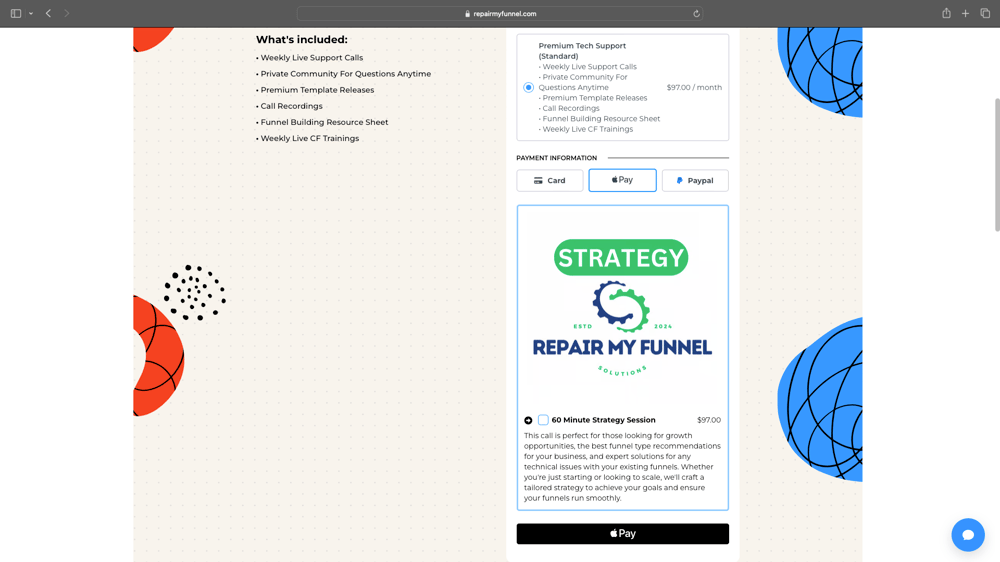
Setting up Apple Pay in ClickFunnels 2.0 is now possible, providing a fast, secure, and seamless payment option for your customers. This new feature is a significant addition for funnel creators who want to offer the convenience of Apple Pay directly on their funnels.
In this step-by-step guide, we will walk you through the entire process of enabling and setting up Apple Pay inside ClickFunnels 2.0.
Why Set Up Apple Pay?
Apple Pay offers multiple benefits:
- Convenience: Customers can quickly pay using their Apple devices without entering their credit card information.
- Security: Apple Pay encrypts personal information, enhancing the overall security of transactions.
- Trust: Apple’s secure reputation builds confidence among buyers, improving conversion rates.
Let’s dive into the simple steps to enable this feature.
Step-by-Step Guide to Setting Up Apple Pay in ClickFunnels 2.0
1. Ensure You Have Payments AI or Stripe Set Up
Before you can enable Apple Pay, you need to ensure that your Payments AI or Stripe payment gateway is configured and active. This is a critical step, as it enables ClickFunnels to process payments on your funnels.
To check or set up your payment gateway:
If this is already set up, you’re ready to proceed!
2. Enable Apple Pay in Your Workspace
Next, we’ll enable Apple Pay inside your ClickFunnels 2.0 workspace.
- Step 1: From your ClickFunnels dashboard, navigate to Workspace Settings. You can find this option in the left-hand sidebar.
- Step 2: On the Workspace Settings page, scroll down to the Payment Settings section.
- Step 3: Look for the option labeled Apple Pay.
- Step 4: Toggle the Apple Pay option to On.
- Step 5: Once enabled, scroll down to the bottom of the page and click Update Workspace.
This ensures that Apple Pay is activated within your workspace, but we’re not done yet—now you need to enable Apple Pay in your specific funnels.
3. Enable Apple Pay on a Specific Funnel
To activate Apple Pay for individual funnels, follow these steps:
- Step 1: Navigate to your Funnels section by clicking on Funnels in the left-hand menu.
- Step 2: Select the specific funnel where you want to enable Apple Pay.
- Step 3: Once inside the funnel, click on the Gear Icon (Settings) next to the funnel’s name. This will open the funnel’s settings page.
- Step 4: On the funnel settings page, scroll down until you see the section labeled Enabled Billing Payment Types.
- Step 5: Ensure that Apple Pay is toggled to On (it should appear with a black background and white font).
- Step 6: Scroll to the bottom of the page and click Update Funnel to save your changes.
Your funnel is now set up to accept payments via Apple Pay!
Troubleshooting: What If Apple Pay Isn’t Showing Up?
If Apple Pay doesn’t show up on your checkout page, there are a few potential reasons:
- Using Legacy Checkout Elements: Apple Pay is only supported with the new updated checkout elements in ClickFunnels 2.0, not legacy ones. Ensure you’re using the latest version of the checkout element.
- Payment Gateway Not Set Up: Double-check that you have either Payments AI or Stripe properly configured and active in your settings.
- Browser or Device Support: Apple Pay is only available on compatible Apple devices like iPhones, iPads, and Macs. If you or your customers are testing on unsupported devices, Apple Pay won’t appear.
Final Thoughts
Adding Apple Pay to your ClickFunnels 2.0 funnels is a simple yet powerful way to improve customer convenience and boost your conversion rates. By following this step-by-step guide, you can ensure a smooth setup, allowing your customers to enjoy seamless, secure payments via Apple Pay.
If you have any lingering questions or need further assistance, feel free to reach out for support. And don’t forget to subscribe to our Tech Time newsletter for more tips, tricks, and guides sent directly to your inbox every Monday.
Additional Resources
For further assistance and more in-depth guides, check out these resources:
If you need personalized help, contact our support team at support@repairmyfunnel.com.
Additional FAQs
Can I use Apple Pay with the old checkout elements in ClickFunnels 2.0?
No, Apple Pay only works with the new updated checkout elements, not with legacy ones. Ensure you are using the updated version of the checkout element for Apple Pay to appear.
What payment gateways work with Apple Pay in ClickFunnels 2.0?
You can use Payments AI or Stripe as the payment gateways to enable Apple Pay in ClickFunnels 2.0. Ensure these gateways are properly set up before enabling Apple Pay.
How do I know if Apple Pay is enabled correctly?
To verify that Apple Pay is enabled, navigate to your funnel settings and check under the Enabled Billing Payment Types section. Apple Pay should be highlighted with a black background and white font if it’s enabled.
Can I use Apple Pay on multiple funnels?
Yes! Once Apple Pay is enabled in your workspace, you can enable it on as many funnels as you want by following the same process outlined above.
Why can’t I see Apple Pay on my checkout page?
Apple Pay may not appear if you are using unsupported devices (non-Apple devices), or if the payment gateway (Payments AI or Stripe) is not set up correctly. Additionally, ensure that you’re using the new checkout elements and not the legacy versions.

Howdy, I'm Tyson
Owner Of Repair My Funnel
Growing your service business online shouldn't feel overwhelming or confusing. That's exactly why I created Repair My Funnel.
I've spent years mastering ClickFunnels and digital marketing systems, but more importantly, I've learned how to translate that expertise into simple, clear guidance for business owners who just want their online presence to work. My mission is helping established service businesses build professional websites, effective funnels, and reliable systems that attract and convert more clients without the tech stress.
Here on the blog, you'll discover practical strategies from our proven 5-pillar framework covering everything from building a solid website foundation to creating content that drives organic traffic. Whether you're a coach, contractor, wellness professional, or local service provider, you'll find step-by-step guides and real-world tactics designed specifically for service businesses like yours.
Ready to get actionable insights delivered weekly? Join the Spark & Scale Newsletter where I share my best strategies to help you attract more clients, streamline your systems, and grow your business with confidence.
Featured Articles

Stop guessing which funnel works for your service business. Our beginner's guide covers 3 proven funnel types, key metrics to track, plus a free strategy tool to get you started.

Learn how service businesses can use QR codes to bridge offline and online marketing, increase conversions, and generate more leads with proven strategies.

Learn why every service business needs a professional email signature and how to create one in 5 minutes. Includes free generator tool and setup guide.

Discover if your small business needs a privacy policy online. Learn legal requirements, avoid fines, and get compliant quickly with our free guide.

Latest Posts
Thursday, September 11, 2025
Tuesday, September 09, 2025
Tuesday, September 09, 2025
RepairMyFunnel.com, a DT Designs LLC Product ■ All Rights Reserved © 2024-2025 ■ 1212 5th Ave N, Apt 2, Seattle, WA 98109
Privacy Policy - Terms - Disclaimer - Contact