

What Is Save Image As Type And How Do You Use It?

Hey everyone! Tyson here with Repair My Funnel, and today, we're diving into a super handy Chrome browser extension called Save Image As Type. If you're into funnel hacking or just need a more flexible way to save images from the web, this tool is a game-changer. Let’s break down what it is, how it works, and why you might find it useful.
What is The Save Image As Type Chrome Extension?
Save Image As Type is a Chrome extension that makes it easy to save images from web pages in different formats like PNG, JPEG, or WEBP. This tool is particularly useful for anyone working on recreating web pages, gathering inspiration, or saving images in a more usable format.
You can find and add this extension from the Chrome Web Store.
Key Features and Benefits
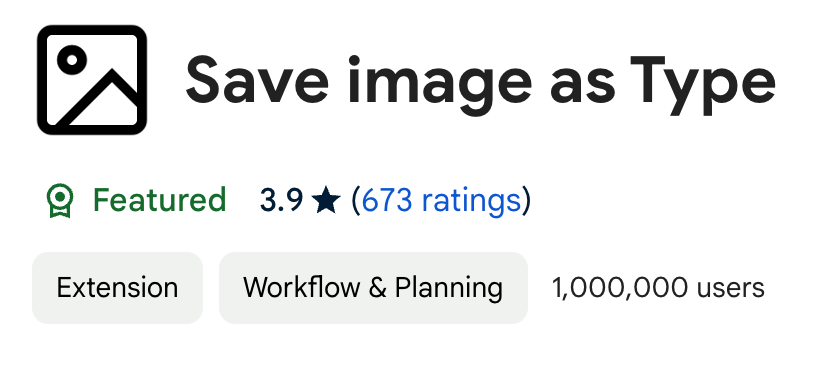
- Multiple File Formats: One of the standout features of Save Image As Type is its ability to save images in various formats. By default, many browsers save images as WEBP, which isn’t always ideal. This extension allows you to choose between PNG, JPEG, and WEBP.
- Ease of Use: Installing and using the extension is straightforward. Once added to your browser, saving an image in your preferred format is as simple as a right-click.
- Funnel Hacking: For those who are into funnel hacking, this tool is invaluable. It lets you quickly grab images from pages you're studying, which you can then modify to suit your brand or business needs.
How to Use Save Image As Type
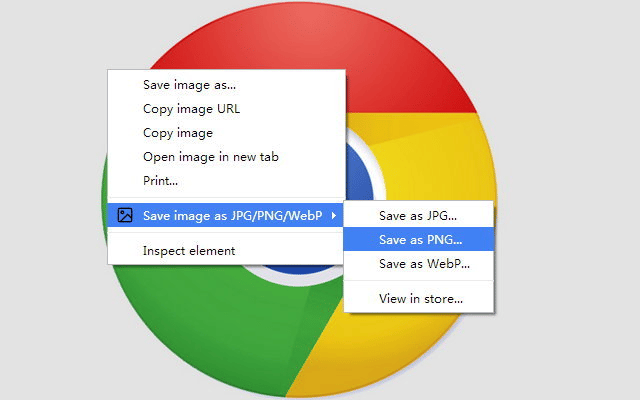
Using this extension is a breeze. Here’s a quick guide:
- Install the Extension:
• Head over to the Chrome Web Store and search for Save Image As Type.
• Click “Add to Chrome” and confirm the installation. - Save Images:
• Navigate to a webpage with an image you want to save.
• Right-click on the image. Instead of the usual “Save image as...” option, you’ll now see “Save image as type”.
• Hover over this option, and you’ll see the formats you can choose from: PNG, JPEG, or WEBP.
• Select your preferred format and save the image to your computer. - Practical Example:
• If you can drag and move the image, it’s a standard image and can be saved using this extension.
• Right-click on the image, select “Save image as type,” choose your format, and save it.
Important Notes

- Use Responsibly: While this tool is powerful, it's important to use it responsibly. Don't use it to steal intellectual property. Always ensure you have permission to use the images or give proper credit when necessary.
- Educational and Recreational Use: If you’re using this tool for educational purposes or just recreating pages for practice, have fun! It’s a great way to learn and improve your design skills.
Real-World Use Cases
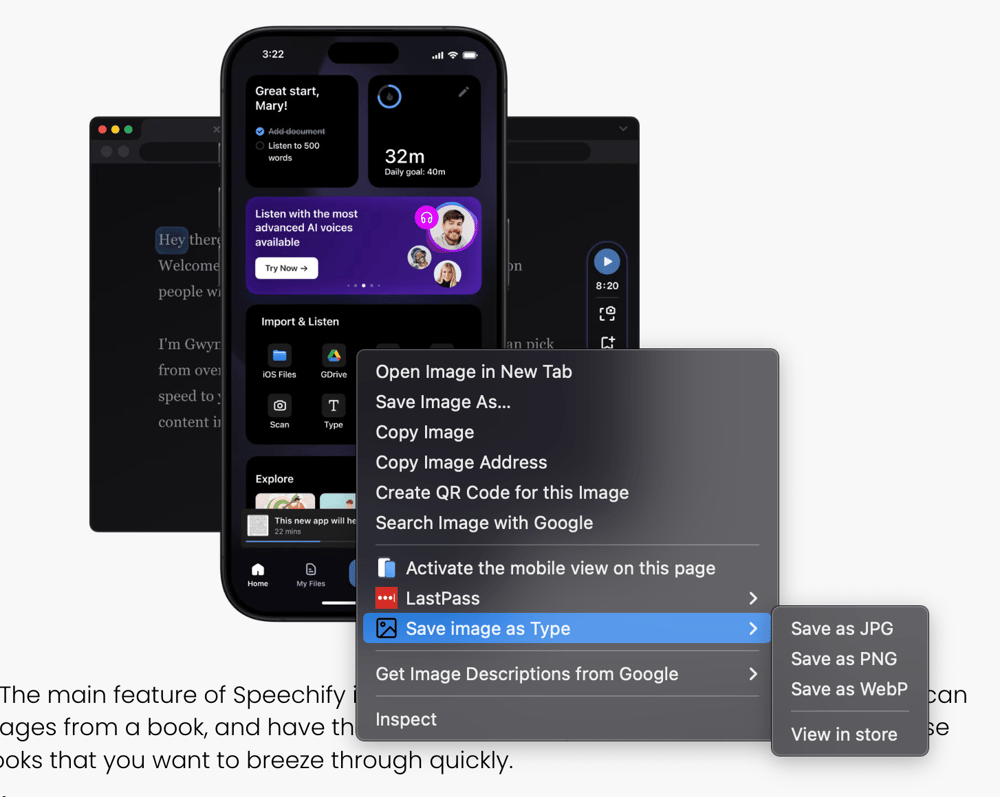
Here’s how I use Save Image As Type:
- Funnel Hacking: When I’m trying to recreate a funnel, I often need to save images from the source page. This tool allows me to do that easily, and then I modify the images to fit my project.
- Content Creation: Sometimes I need images in a specific format for different platforms. This extension helps me quickly convert and save images without the need for additional software.
Final Thoughts
Save Image As Type is a must-have tool for anyone working with web content, especially if you need images in specific formats. It's easy to use, highly functional, and perfect for tasks like funnel hacking and content creation.
If you have any questions about this tool or other tools you’d like me to cover, drop a comment below. Have a fantastic rest of your week, and happy image saving!

Howdy, I'm Tyson
Owner Of Repair My Funnel
Growing your service business online shouldn't feel overwhelming or confusing. That's exactly why I created Repair My Funnel.
I've spent years mastering ClickFunnels and digital marketing systems, but more importantly, I've learned how to translate that expertise into simple, clear guidance for business owners who just want their online presence to work. My mission is helping established service businesses build professional websites, effective funnels, and reliable systems that attract and convert more clients without the tech stress.
Here on the blog, you'll discover practical strategies from our proven 5-pillar framework covering everything from building a solid website foundation to creating content that drives organic traffic. Whether you're a coach, contractor, wellness professional, or local service provider, you'll find step-by-step guides and real-world tactics designed specifically for service businesses like yours.
Ready to get actionable insights delivered weekly? Join the Spark & Scale Newsletter where I share my best strategies to help you attract more clients, streamline your systems, and grow your business with confidence.
Featured Articles

Learn how to easily disable system emails in ClickFunnels 2.0 with our step-by-step guide. Manage your notifications effectively and improve your workflow today.

Learn how to create custom questions for your booking pages in ClickFunnels 2.0. Our comprehensive guide walks you through the process to ensure you gather all the necessary information from your clients. Enhance your booking experience with customized questions today!
Learn how to set up custom favicon images for your booking pages in ClickFunnels 2.0. Follow our step-by-step guide to ensure your branding is consistent and professional. Enhance your site’s appearance with a branded favicon easily in ClickFunnels 2.0.

Discover the powerful features of the ClickFunnels 2.0 editor with this detailed overview. Learn about navigation, key functionalities, and tips for efficient funnel building.

Latest Posts
Monday, September 02, 2024
Monday, September 02, 2024
Monday, September 02, 2024
RepairMyFunnel.com, a DT Designs LLC Product ■ All Rights Reserved © 2024-2025 ■ 1212 5th Ave N, Apt 2, Seattle, WA 98109
Privacy Policy - Terms - Disclaimer - Contact