

How to Create Product Variations in ClickFunnels 2.0
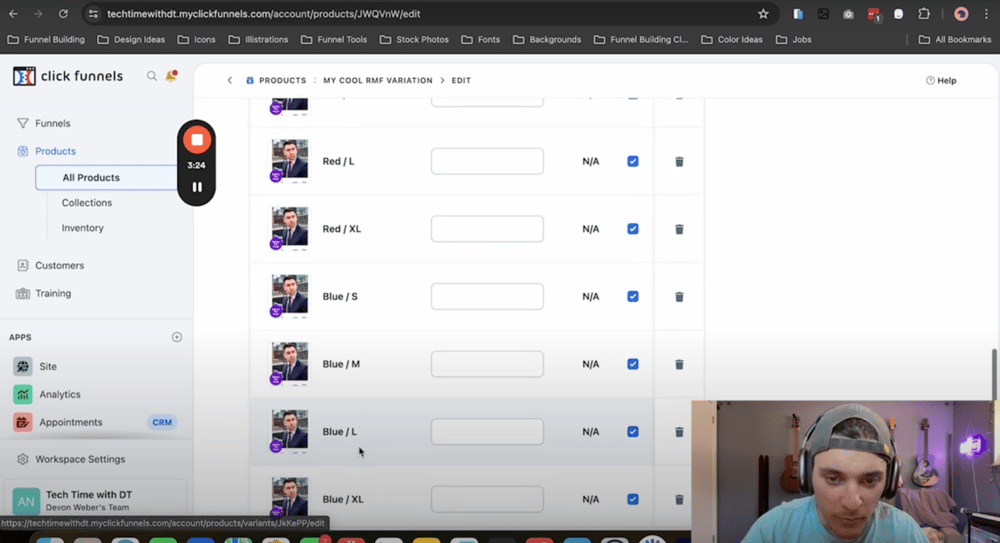
Hey everyone! In this guide, I am going to show you how to set up product variations inside of ClickFunnels 2.0.
Step 1: Create a Funnel For Testing
- In this example you can we start with the end in mind and create the funnel that we will be using for testing, first. The minimum needed would be an Order Form and an Order Confirmation page.
Step 2: Create a Product
- Go to the all Products tab.
- Go to the All Products tab.
- Click the Create Product Button.
Step 3: Name and Give Your Product a Price
- For this example I have created a digital product, though if you find it necessary physical products are available to use.
- Once you give your product a name you can also give it an initial price.
Step 4: Select Your General Product Image
- Under the Images section click the "Select Images" section.
- Upload your general image for this product.
Step 5: Check off the Variations Checkbox
- Under the Variants section check the box that says "This product has multiple options, like different sizes or colors."
Step 6: Create Your Variants
- Create your specific variants for this product like size or color.
- Once finished click the "Update Product" button.
Step 7: Override Images and Price Points (If Applicable)
- Now that the product variations are created, underneath the variations section there is an edit variations option, where you can override things such as images and product price for each product variation if applicable.
Step 8: Add Your Product to Your Order Form
- Inside of your funnel on the Order Form step you will see a biohazard symbol, this is in place to let you know that products are not yet created on a step that is expecting products; click This option.
- Click the "Add Product" button.
- Select your product that has been created.
Step 9: Test Your Funnel
- To test your funnel we recommend using an Incognito or Private window as it helps show your most recent updates to your funnel. [Command Shift N on a Mac or Control Shift N on a PC].
- With Your funnel in test mode, you will see a test card that you are able to use "4111-1111-1111-1111."
- Any future date can be used.
- Any 3 digit CVV code can be used.
Bonus: Steps to Put Your Funnel in Test Mode
- Inside of your funnel overview to the Settings button.
- Under Test Mode Check "Yes."
- Click the Update Funnel button.

Conclusion
That's it! You've successfully learned how to create product variations inside of ClickFunnels 2.0. If you have a tool or topic that you would like us to cover in our next blog, email us at support@repairmyfunnel.com to let us know!

Howdy, I'm Tyson
Owner Of Repair My Funnel
Growing your service business online shouldn't feel overwhelming or confusing. That's exactly why I created Repair My Funnel.
I've spent years mastering ClickFunnels and digital marketing systems, but more importantly, I've learned how to translate that expertise into simple, clear guidance for business owners who just want their online presence to work. My mission is helping established service businesses build professional websites, effective funnels, and reliable systems that attract and convert more clients without the tech stress.
Here on the blog, you'll discover practical strategies from our proven 5-pillar framework covering everything from building a solid website foundation to creating content that drives organic traffic. Whether you're a coach, contractor, wellness professional, or local service provider, you'll find step-by-step guides and real-world tactics designed specifically for service businesses like yours.
Ready to get actionable insights delivered weekly? Join the Spark & Scale Newsletter where I share my best strategies to help you attract more clients, streamline your systems, and grow your business with confidence.
Featured Articles

Learn how to enable two-factor authentication in ClickFunnels 2.0 with this step-by-step guide. Protect your account from unauthorized access with enhanced security settings.
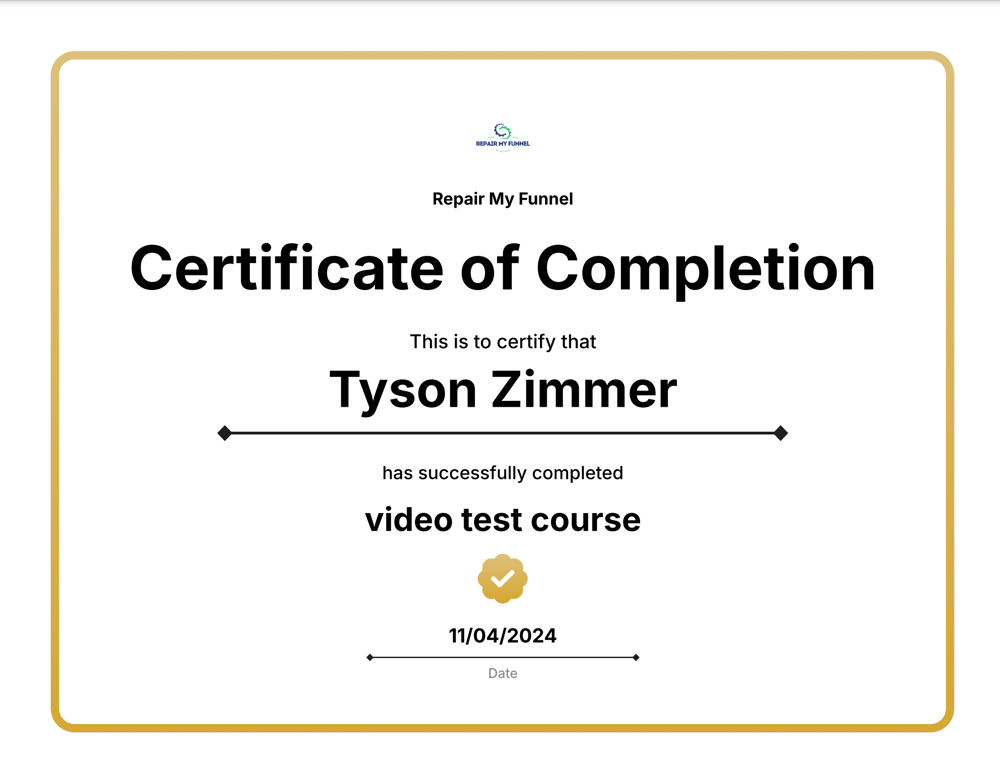
Learn how to create and enable course completion certificates in ClickFunnels 2.0. Follow this step-by-step guide to reward students and enhance their learning experience!

Learn how to delete saved and universal sections in ClickFunnels 2.0 with this step-by-step guide. Manage your sections, keep your workspace organized, and avoid clutter by following this simple process.

Learn how to use GoFullPage, a Chrome extension, to capture full-page screenshots easily. This step-by-step guide covers installation, usage, editing, and exporting your screenshots in various formats like PNG, JPEG, and PDF.

Latest Posts
Friday, April 25, 2025
Wednesday, April 23, 2025
Tuesday, April 22, 2025
RepairMyFunnel.com, a DT Designs LLC Product ■ All Rights Reserved © 2024-2025 ■ 1212 5th Ave N, Apt 2, Seattle, WA 98109
Privacy Policy - Terms - Disclaimer - Contact