

How Lesson Tracking Works in ClickFunnels 2.0 Courses: Keep Your Students on Track
Hey there! If you’re using ClickFunnels 2.0 to host your courses, you’re probably wondering how to keep your students on track without losing them in a maze of modules and lessons. Well, good news—ClickFunnels 2.0 has a built-in lesson tracking feature that’s like a handy bookmark for your students. Today, we’re going to dive into how this lesson tracking works and how you can customize it to fit your course.
Lesson Tracking: The Basics
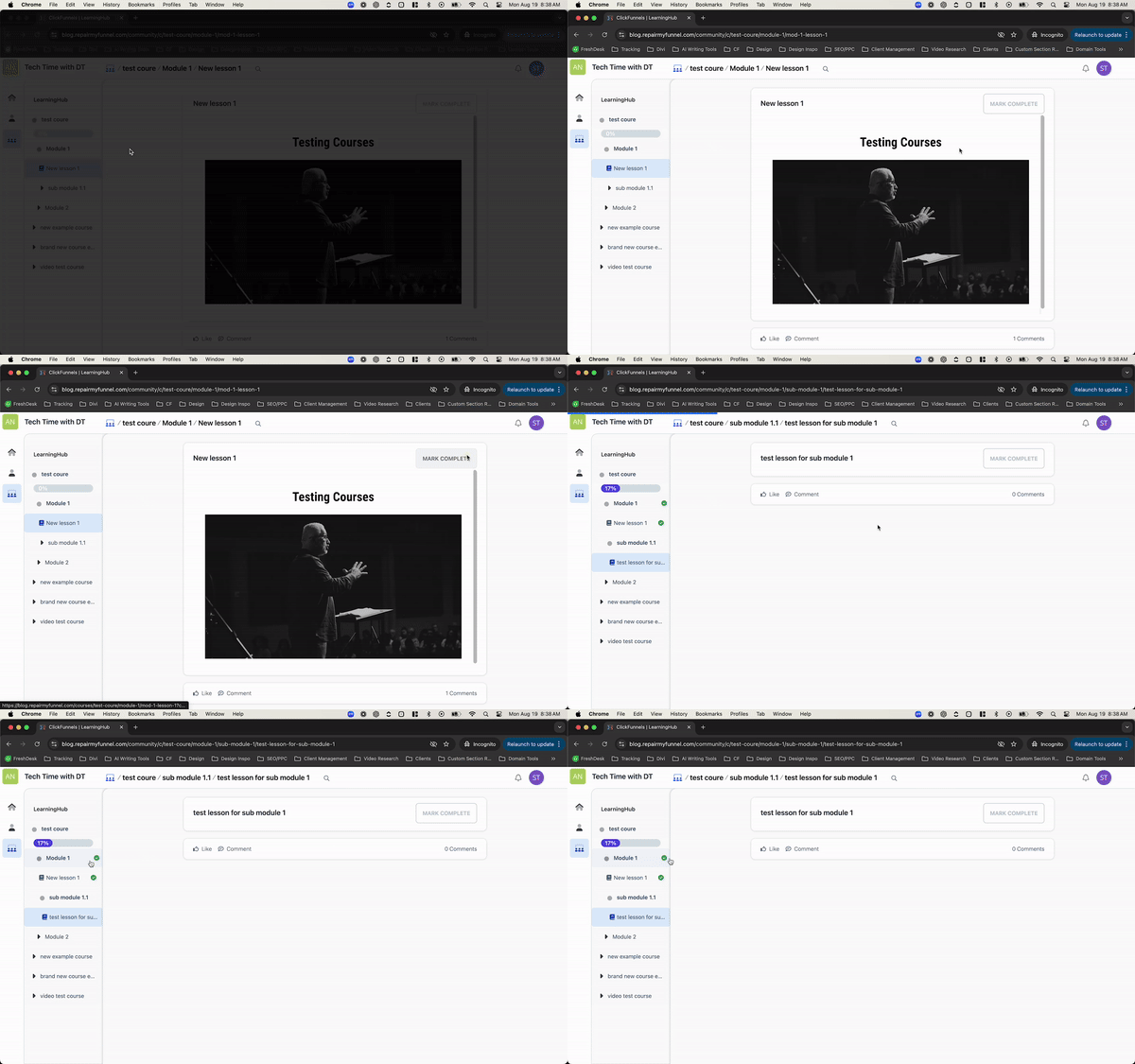
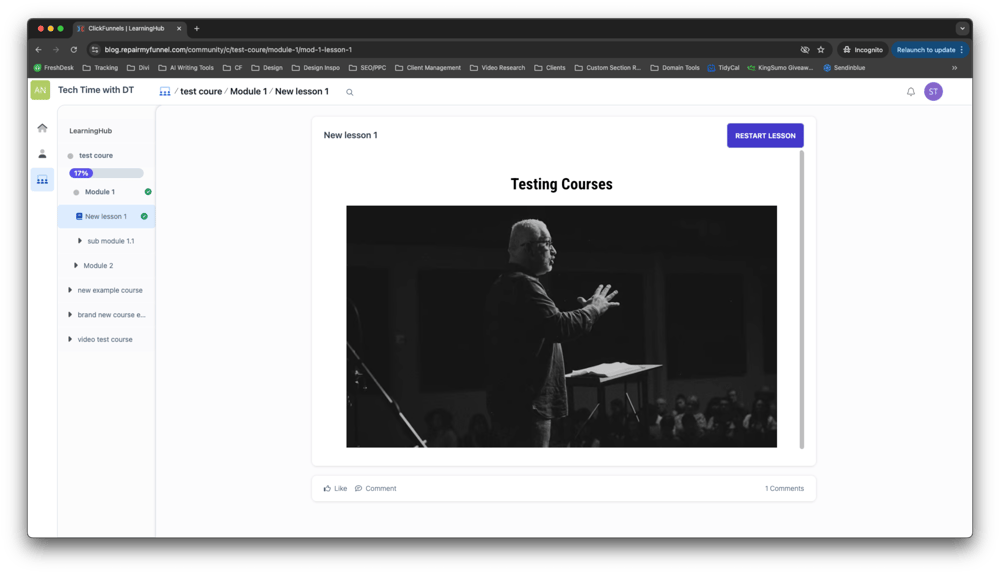
Let’s start with the basics. ClickFunnels 2.0 automatically enables lesson tracking for your courses, which means your students can easily see what they’ve completed and what’s still left to tackle. When a student completes a lesson, they can click the “Mark Complete” button, and a little checkmark appears next to that lesson. Simple, right?
This checkmark is more than just a nice visual—it’s a powerful tool to help your students stay organized and motivated. They can always see exactly where they left off, and if they ever want to revisit a lesson, they can even reset the checkmark by clicking “Restart Lesson.” Boom, instant organization!
How to Customize Lesson Tracking
Now, maybe you’re the kind of person who likes to put a personal touch on everything. (We see you!) If you’re using a custom setup for your courses, you’ll be happy to know that you can tweak the appearance of those checkmarks to match your course’s vibe.
Here’s how you do it:
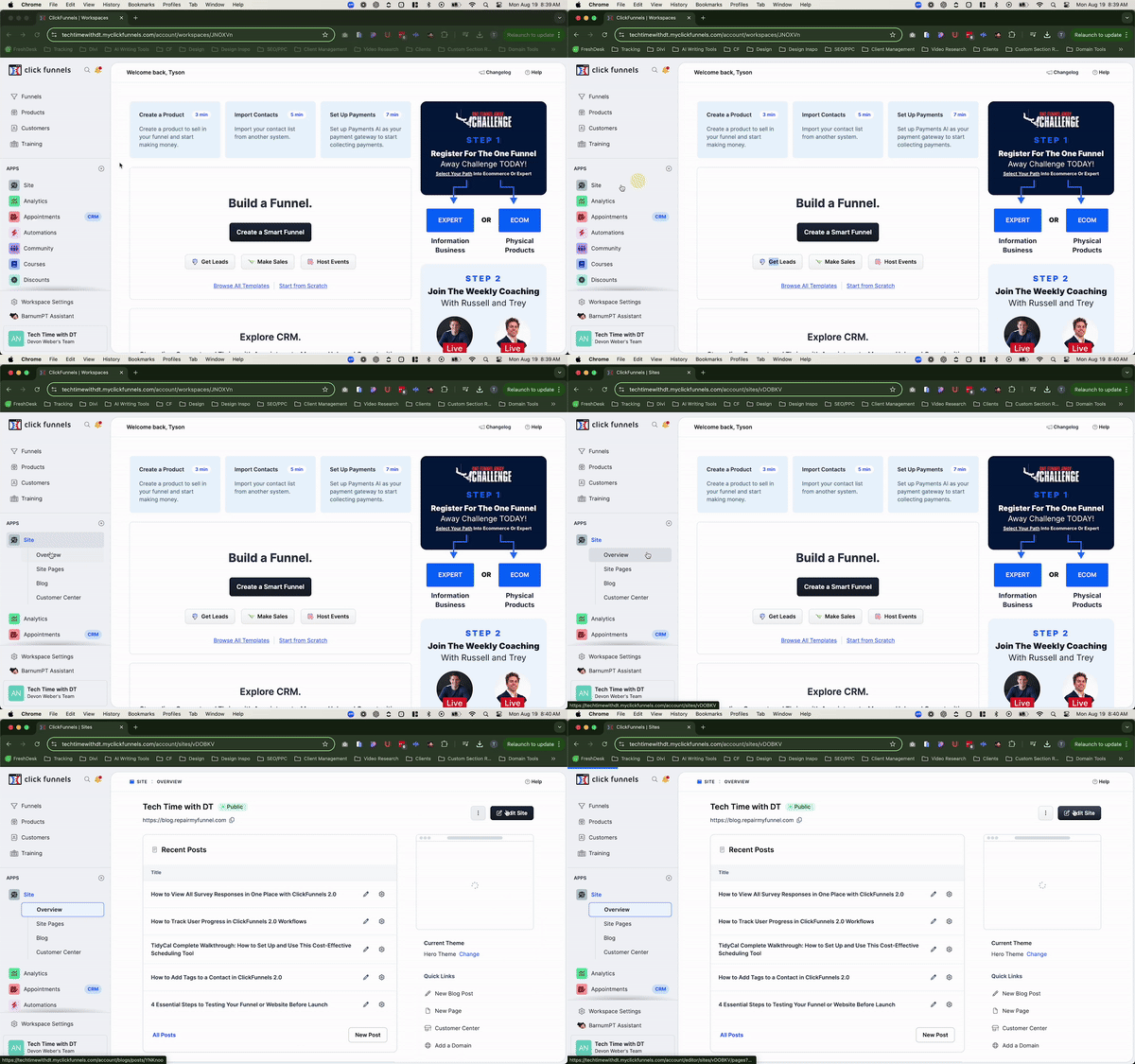
- Head to the Site Settings: First, go to your ClickFunnels 2.0 workspace. On the left-hand side, click on “Site” and then “Overview.”
- Edit Your Site: On the right side of the screen, you’ll see an option to “Edit Sites.” Go ahead and click that.
- Find Your Lesson Page: Once you’re in the theme editor, look for the drop-down menu on the left. Click on “Lesson Page” under the course home section.
- Customize the Checkmark Color: Now, here’s where the fun begins! Click on the gear icon in the navigation settings, and you’ll see an option to change the “Completed Check Mark Color.” You can make it any color you want—go wild! Pink, blue, neon green… whatever floats your boat.
- Disable the Checkmark (If You Dare): If you’re a minimalist and don’t want the checkmark at all, you can turn it off by selecting the “Disable Check Mark Icon” option. But let’s be honest, your students might appreciate the guidance, especially if your course has a bunch of modules and lessons.
Why Lesson Tracking Is a Big Deal
So why should you care about these little checkmarks? Well, imagine you’re taking a course with 10 modules and each module has 5 lessons. That’s 50 lessons to keep track of! Without some sort of progress marker, your students might feel like they’re wandering through a digital jungle with no map.
These checkmarks act like breadcrumbs, helping students remember where they left off and making sure they don’t miss a single nugget of your valuable content. It’s like giving them a friendly nudge that says, “Hey, you’re doing great—keep going!”
Final Thoughts
Lesson tracking in ClickFunnels 2.0 is like the GPS for your courses. It guides your students through their learning journey, keeps them organized, and helps them stay on track. And with the ability to customize the look of those checkmarks, you can make sure your course not only delivers great content but also looks just the way you want it to.
So, go ahead and play around with those settings! Your students will thank you for making their learning experience that much smoother.
If you have any lingering questions or need further assistance, feel free to reach out for support. And don’t forget to subscribe to our Tech Time newsletter for more tips, tricks, and guides sent directly to your inbox every Monday.
Additional Resources
For further assistance and more in-depth guides, check out these resources:
If you need personalized help, contact our support team at support@repairmyfunnel.com.
Additional FAQs
Is lesson tracking automatically enabled in ClickFunnels 2.0?
Yes! Lesson tracking is enabled by default if you’re using the Learning Center or Learning Hub for your courses. Students can easily mark lessons as complete and keep track of their progress.
Can I change the color of the completion checkmarks?
Absolutely! You can customize the checkmark color in the theme editor under the lesson page settings. Make it match your brand or just pick a color you love.
What if I don’t want the checkmarks to appear at all?
No problem! You can disable the checkmarks altogether in the settings. Just go to the lesson page settings and select “Disable Check Mark Icon.”
Does lesson tracking work on both the Learning Center and custom setups?
Yes, it works on both. However, customization options are more flexible in custom setups, allowing you to adjust colors and other settings.
Why is lesson tracking important for students?
Lesson tracking helps students stay organized and motivated by showing them exactly what they’ve completed and what’s left. It’s especially helpful for long courses with multiple modules and lessons.

Howdy, I'm Tyson
Owner Of Repair My Funnel
Growing your service business online shouldn't feel overwhelming or confusing. That's exactly why I created Repair My Funnel.
I've spent years mastering ClickFunnels and digital marketing systems, but more importantly, I've learned how to translate that expertise into simple, clear guidance for business owners who just want their online presence to work. My mission is helping established service businesses build professional websites, effective funnels, and reliable systems that attract and convert more clients without the tech stress.
Here on the blog, you'll discover practical strategies from our proven 5-pillar framework covering everything from building a solid website foundation to creating content that drives organic traffic. Whether you're a coach, contractor, wellness professional, or local service provider, you'll find step-by-step guides and real-world tactics designed specifically for service businesses like yours.
Ready to get actionable insights delivered weekly? Join the Spark & Scale Newsletter where I share my best strategies to help you attract more clients, streamline your systems, and grow your business with confidence.
Featured Articles

Learn how to use GoFullPage, a Chrome extension, to capture full-page screenshots easily. This step-by-step guide covers installation, usage, editing, and exporting your screenshots in various formats like PNG, JPEG, and PDF.

Learn how to collect contact information in one simple slide with ClickFunnels 2.0. This guide walks you through using the Contact Info question type to gather names, emails, and phone numbers efficiently.

Learn how to use images as answers in ClickFunnels 2.0 surveys to enhance user engagement and make your surveys more interactive. Follow this step-by-step guide to add images, customize your questions, and create a visually appealing survey experience.

Learn how to easily customize your order confirmation emails in ClickFunnels 2.0 with this step-by-step guide. Personalize your emails, add branding, and ensure a seamless post-purchase experience for your customers.

Latest Posts
Tuesday, April 22, 2025
Friday, April 18, 2025
Monday, February 03, 2025
RepairMyFunnel.com, a DT Designs LLC Product ■ All Rights Reserved © 2024-2025 ■ 1212 5th Ave N, Apt 2, Seattle, WA 98109
Privacy Policy - Terms - Disclaimer - Contact