

How to Set Up Favicon Images for Booking Pages in ClickFunnels 2.0
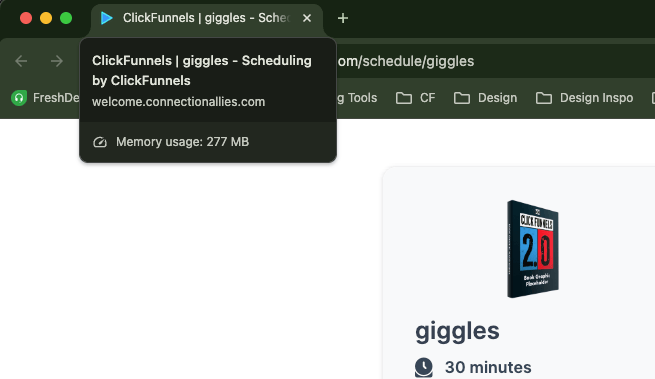
Hey everyone! Tyson here with Repair My Funnel, and today, we’re diving into setting up a custom favicon for your booking pages in ClickFunnels 2.0. Keeping your branding consistent is crucial, and a favicon helps ensure that even your browser tabs look professional.
Steps to Set Up a Favicon in ClickFunnels 2.0
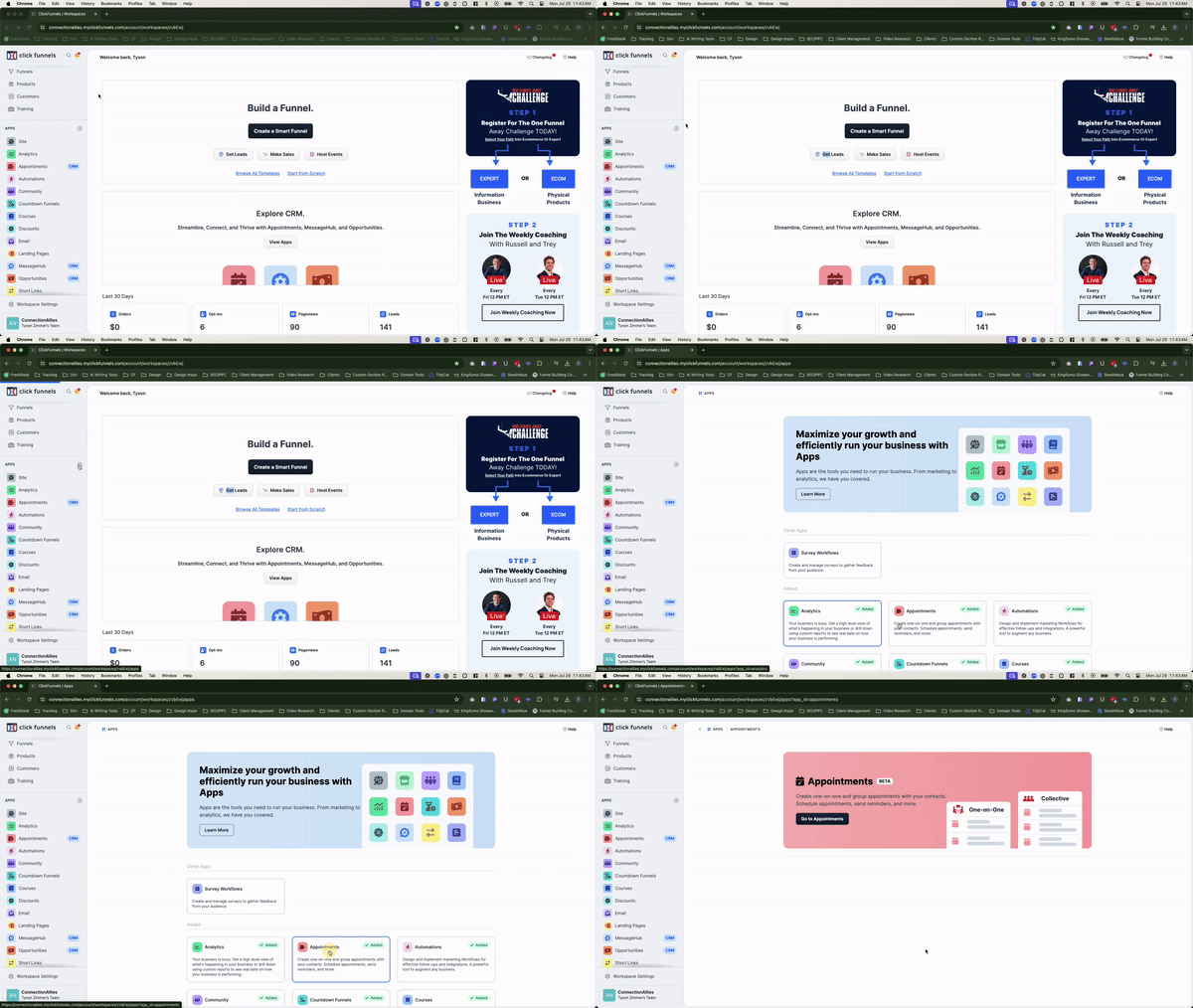
First things first, to get your blog up and running, you need to enable the Site app in your workspace. This step is crucial as it unlocks the blogging functionality within ClickFunnels 2.0. Here’s how to do it:
- Accessing ClickFunnels:
• First, log in to your ClickFunnels 2.0 account.
• Ensure the Appointments app is set up. If not, add it by clicking the plus icon next to “Apps” and selecting “Appointments.” Follow the prompts to connect your calendar. - Adding the Site App:
• If the Site app isn’t visible in the left-hand navigation, add it using the same plus icon.
• Click on the Site app, then click on “Overview.”
• Next, click the three dots next to “Edit Site” and select “Site Settings.” - Setting the Favicon:
• In the Site Settings, look for the “Site Favicon” section.
• Click on it and upload the image you want to use as your favicon.
• Update the site to apply the changes. - Verifying Your Favicon:
• Navigate to your Appointments section to ensure the favicon is displayed correctly on your booking pages.
Why a Favicon Matters
A favicon is a small but powerful branding tool. It appears in browser tabs, bookmark lists, and history archives, making your site easily recognizable. This tiny icon can enhance the professional look of your booking pages and reinforce your brand identity.
Additional Tips
- Consistency: Ensure the favicon matches your overall brand aesthetics. It should be a simplified version of your logo or another recognizable brand element.
- Optimization: Make sure your favicon is optimized for web use. Typically, favicons are 16x16 pixels or 32x32 pixels and in formats like .ico, .png, or .gif.
Why This Matters for Business Owners
For business owners, the blogging feature in ClickFunnels 2.0 is a game-changer. Here’s why:
- Integrated Platform: Manage all your marketing efforts, including blogging, within a single platform. This integration streamlines your workflow and boosts productivity.
- SEO Optimization: Customize SEO settings for each post to improve your search engine rankings and drive more organic traffic to your site. This helps you reach a wider audience.
- Engagement: Regularly updated blogs keep your audience engaged, informed, and returning for more content. It’s a great way to build a loyal following and establish your authority in your niche.
- Easy Customization: The use of dynamic templates makes it easy to maintain a consistent look and feel across your blog, ensuring a professional appearance without the need for constant manual updates.
Final Thoughts
Setting up a favicon for your booking pages in ClickFunnels 2.0 is a straightforward process that adds a layer of professionalism to your brand. It’s these little details that help build trust and recognition with your audience. If you found this guide helpful, make sure to subscribe to our Weekly Newsletter for more tips, tricks, and updates on ClickFunnels Classic and 2.0. Stay ahead of the curve and make managing the tech side of your business easier than ever!
If you have any questions or need further assistance, please feel free to reach out to us at support@repairmyfunnel.com.

Howdy, I'm Tyson
Owner Of Repair My Funnel
Growing your service business online shouldn't feel overwhelming or confusing. That's exactly why I created Repair My Funnel.
I've spent years mastering ClickFunnels and digital marketing systems, but more importantly, I've learned how to translate that expertise into simple, clear guidance for business owners who just want their online presence to work. My mission is helping established service businesses build professional websites, effective funnels, and reliable systems that attract and convert more clients without the tech stress.
Here on the blog, you'll discover practical strategies from our proven 5-pillar framework covering everything from building a solid website foundation to creating content that drives organic traffic. Whether you're a coach, contractor, wellness professional, or local service provider, you'll find step-by-step guides and real-world tactics designed specifically for service businesses like yours.
Ready to get actionable insights delivered weekly? Join the Spark & Scale Newsletter where I share my best strategies to help you attract more clients, streamline your systems, and grow your business with confidence.
Featured Articles

Learn how to use Mail Genius to test your email deliverability, fix spam issues, and improve inbox placement. Get step-by-step guidance to optimize your emails.

Learn how to integrate Zoom with ClickFunnels 2.0 using the native setup. Automate registrations for webinars and meetings directly from your funnels.
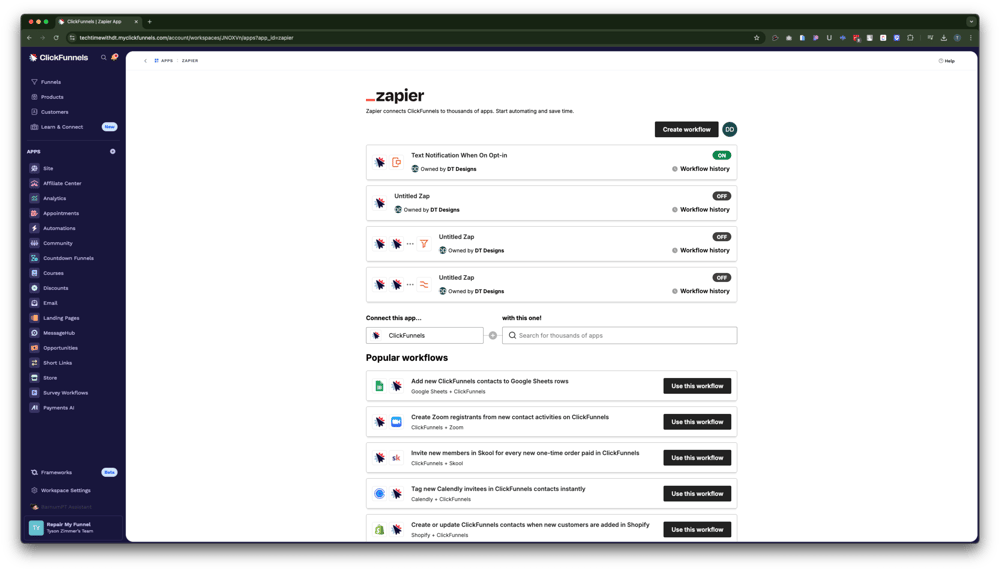
Learn how to use the Zapier app in ClickFunnels 2.0 to automate workflows. Connect third-party apps, create Zaps, and streamline your processes—without leaving ClickFunnels!

Learn how to change your profile image in ClickFunnels 2.0 without using Gravatar. This step-by-step guide walks you through the process in minutes.

Latest Posts
Thursday, May 01, 2025
Monday, April 28, 2025
RepairMyFunnel.com, a DT Designs LLC Product ■ All Rights Reserved © 2024-2025 ■ 1212 5th Ave N, Apt 2, Seattle, WA 98109
Privacy Policy - Terms - Disclaimer - Contact