

Do You Actually Own Your Website? A Checklist for Domains, Hosting and Logins
Quick answer. If you're asking "who owns my website," start by checking three things. The domain should be registered in your name with your email. The hosting or website builder account should be billed to you. And you should have admin logins you can use without asking anyone. If any of those sit with a past designer, employee or agency, you don't fully own your site yet. Fixing it is usually simple, and you can often get it started in an afternoon.
Your web designer stopped answering emails. Or the employee who set everything up left the company. Now you need to change your phone number on the site and you realize you don't know how to log in. Or what you'd even log in to.
This is way more common than you'd think. A lot of service businesses had their website set up years ago by a nephew, a friend or a freelancer. And the keys never got handed over.
It feels fine until it isn't. The domain expires and your website goes dark. Your email stops working. A designer holds your site hostage over a billing dispute. Every one of those is avoidable.
Let's figure out exactly what you own and how to take control of the parts you don't.
The Three Things That Make Up Your Website
Your website isn't one thing. It's three separate pieces, and each one can be owned by a different person.
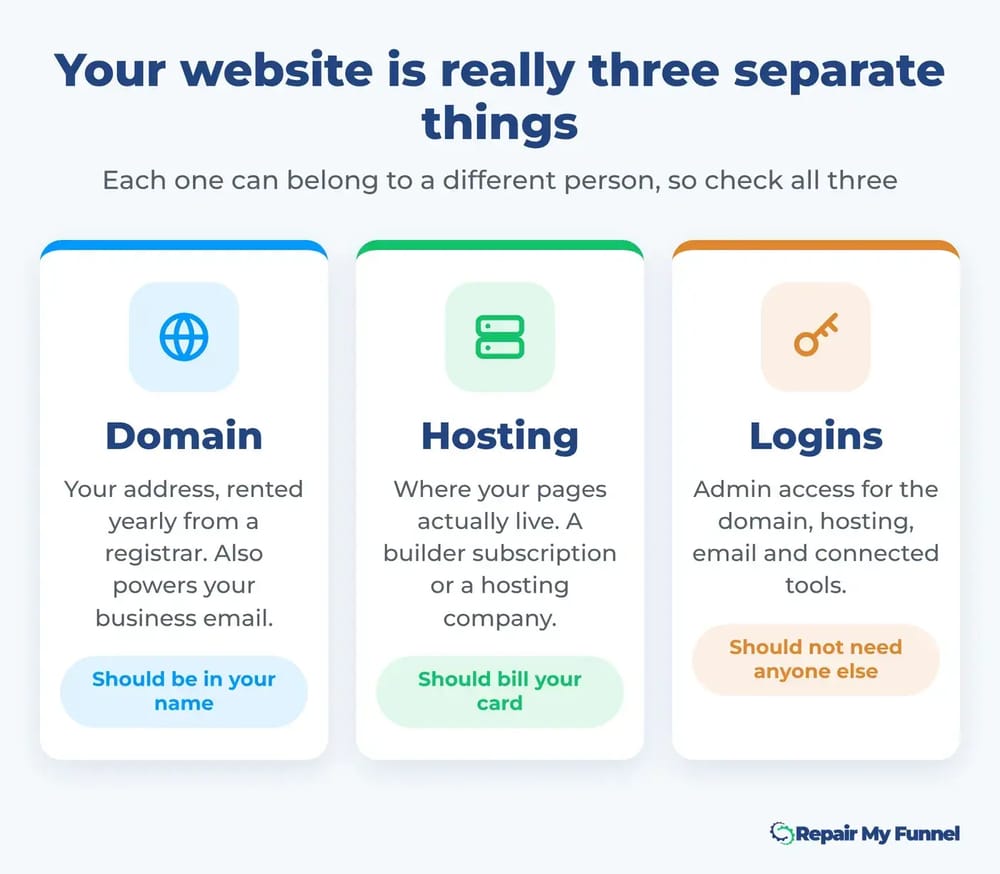
The domain. This is your address, like yourbusiness.com. It's rented from a registrar, usually one year at a time. A registrar is a company that sells and manages domain names. Whoever's name is on the registration is the owner on record. Whoever has the account login controls where it points and whether it gets renewed.
The hosting or builder account. This is where your site's pages actually live. Sometimes it's a website builder subscription, sometimes it's a hosting company. Whoever owns this account controls the content.
The logins. These are the admin usernames and passwords for the domain, the hosting and your email. They also cover any tools connected to your site, like forms or booking.
You need control of all three. Owning two out of three still leaves a door someone else holds the key to.
Your business email often rides along with the domain too. If you send email from an address at your own domain, losing the domain means that address stops getting email. You can also lose the ability to reset passwords for tools tied to it. That's why the domain comes first in this post. It quietly holds up more of your business than the website itself.
Who Owns My Website? How to Find Out in Ten Minutes
You don't need to be technical for this. Grab a coffee and work through these steps.
- Look up your domain with a free lookup tool like ICANN Lookup. It shows the public record for your domain, including which registrar it's with and when it expires
- Search your email inbox for renewal notices or receipts from registrars and hosting companies
- Check your credit card and bank statements for yearly or monthly charges from those companies
- Try logging in to each account you find, using password reset if you need to
- Write down who the account is registered to and whose email is on file
Lots of registrars hide the owner's name for privacy, so the lookup may not tell you who it's registered to. That's fine. It will still tell you the registrar and the expiration date, which is enough to know where to go next.
If you can't find any charges at all, someone else is paying. That usually means someone else owns it.
Your Website Ownership Checklist
Go through this list and check off what's true right now. Anything you can't check is your to do list.
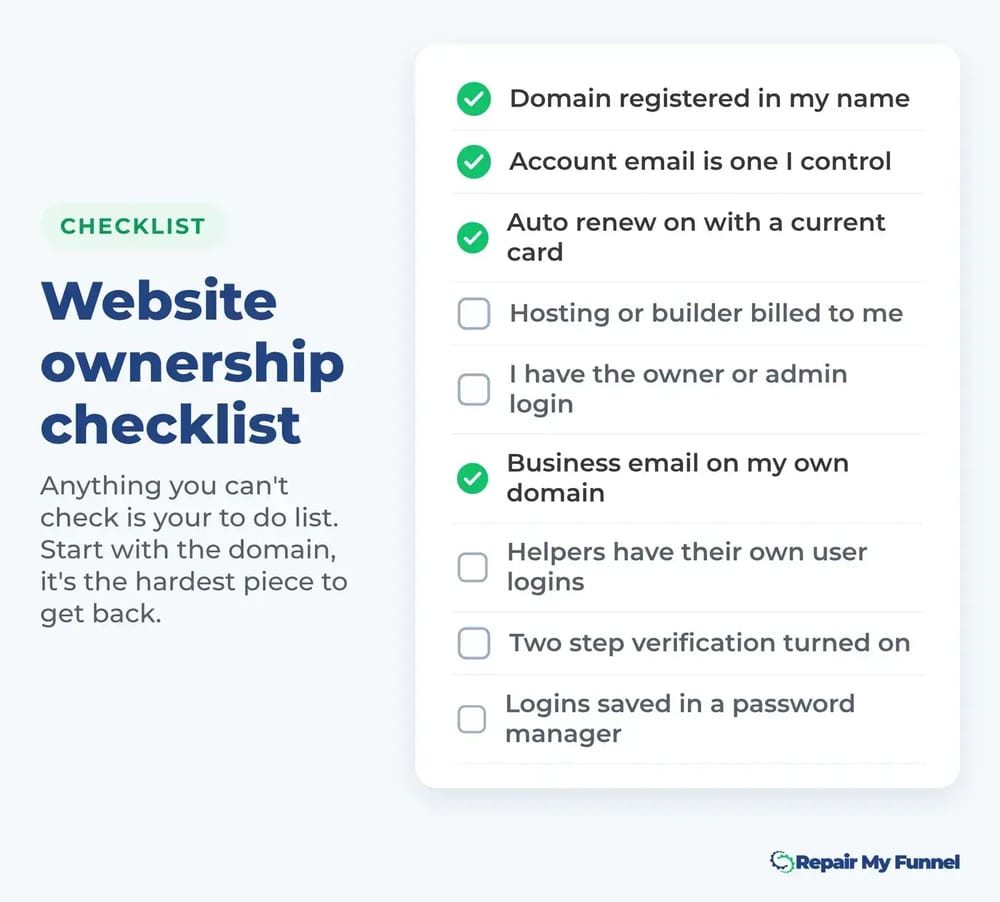
- The domain is registered in my name or my business name
- The email address on the domain account is one I control, not a past employee's or designer's
- Domain auto renew is turned on and the card on file is current
- The hosting or website builder account is in my name and billed to my card
- I have the owner or admin login for the hosting or builder account
- My business email is set up on my own domain and I have the admin login
- Any designer or helper has their own user login, not my main login
- Two step verification, where you also enter a code from your phone, is turned on for the domain and hosting accounts
- All of these logins are saved in a password manager, not a sticky note
That list looks long, but you can probably check off a few already. Focus on the domain first. It's the one piece that's hardest to recover if it's lost.
Picture a landscaper whose domain was registered by a marketing agency he stopped working with. The agency let it expire, and a domain reseller grabbed it. Buying it back would cost far more than a whole year of the agency's fees. That's the headache this checklist helps you skip.
How to Take Back Control If Someone Else Holds the Keys
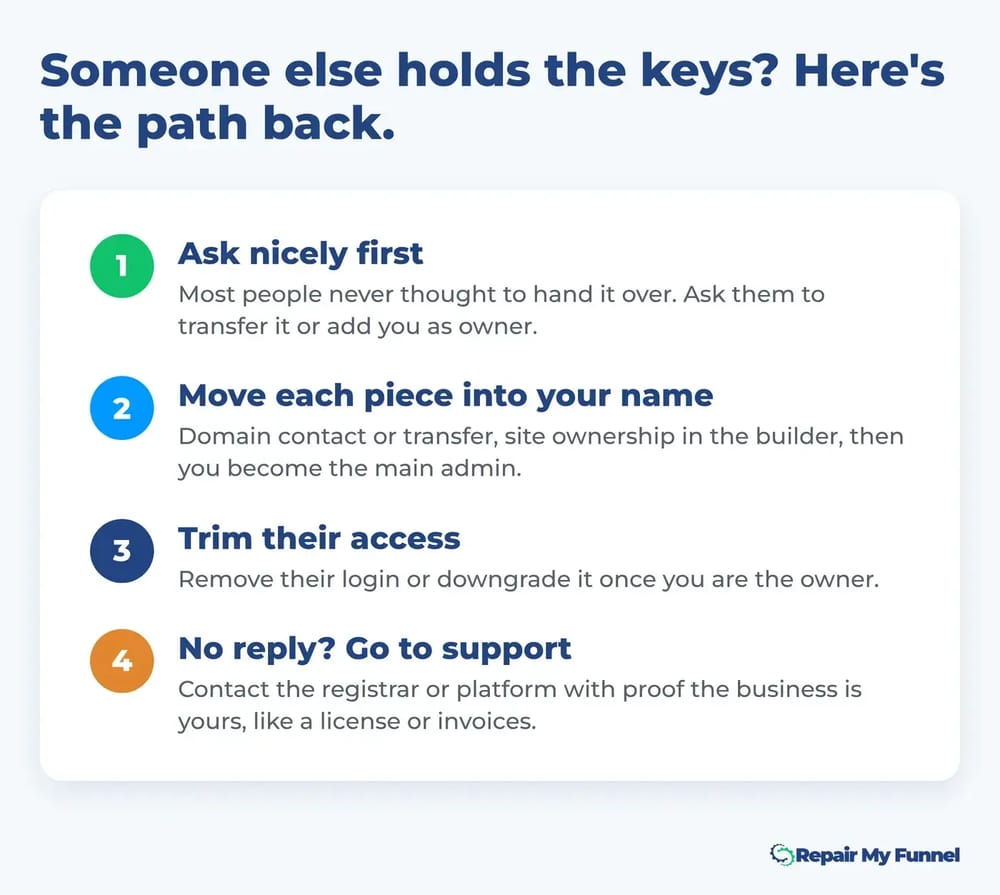
If a past designer or helper owns something, start with the friendly approach. It usually works. Most people aren't holding your site hostage. They just never thought to hand it over.
Send a simple, polite message. Something like "Hi Jake, I'm getting my business accounts organized and need the domain and hosting moved into my name. Could you transfer them or add me as owner this week? Happy to cover any fees."
From there it depends on the piece.
- For a domain, they can change the account contact to you or start a transfer to a registrar account you open
- For hosting or a builder, many platforms let them transfer ownership of the site to your account directly
- For logins, ask them to make you the owner and then remove their own access or limit it
If someone refuses or has disappeared, contact the registrar or platform's support team. Bring proof that the business is yours, like your business license, invoices or past receipts. It takes longer and isn't guaranteed, but it's often doable.
Keep It Clean Going Forward
Once everything's in your name, a few habits keep it that way.
- When you hire a designer or helper, give them their own user account instead of your password
- Ask anyone who sets up a new tool to create it under your business email
- Check your domain expiration date once a year, even with auto renew on
- Remove access for anyone who no longer works with you
This is also worth doing before you hire someone to rebuild your site. My guide on what to check before hiring a web designer covers the rest of that prep, so you don't pay for work you might not need.
Keep Reading
Once you hold the keys, these are the next pieces worth locking down.
- How to protect your business online with legal pages
- Audit your website before hiring a designer
- A professional email signature for your service business
- Free tool. Privacy policy generator for the page every site you own should have
Want Someone to Sort This Out With You?
If untangling domains, hosting and logins sounds like a headache, that's what RMF is here for. Start with a single one time fix, like connecting your domain properly, and we'll take care of it. If you'd like ongoing help after that, the RMF tech help membership keeps your accounts in your name and your tech from becoming a mystery again.
Get a one time fix →
Or compare membership plans
Frequently Asked Questions
Does my web designer own my website?
Only if the domain, hosting or builder account is in their name. Many designers set things up under their own accounts for convenience. Just ask them, and have them move each account into your name.
What happens if my domain expires?
Your website and any email on that domain stop working. There's usually a short window to renew. After that, someone else can buy the domain, sometimes to resell it at a much higher price.
Can I move my website to a different host if I own the domain?
Usually yes. Owning the domain means you can point it anywhere. Moving the site itself depends on the platform, since some builders don't let you take your site with you easily. But your address stays yours either way.

Howdy, I'm Tyson
Owner Of Repair My Funnel
Growing your service business online shouldn't feel overwhelming or confusing. That's exactly why I created Repair My Funnel.
I've spent years mastering ClickFunnels and digital marketing systems, but more importantly, I've learned how to translate that expertise into simple, clear guidance for business owners who just want their online presence to work. My mission is helping established service businesses build professional websites, effective funnels, and reliable systems that attract and convert more clients without the tech stress.
Here on the blog, you'll discover practical strategies from our proven 5-pillar framework covering everything from building a solid website foundation to creating content that drives organic traffic. Whether you're a coach, contractor, wellness professional, or local service provider, you'll find step-by-step guides and real-world tactics designed specifically for service businesses like yours.
Ready to get actionable insights delivered weekly? Join the Spark & Scale Newsletter where I share my best strategies to help you attract more clients, streamline your systems, and grow your business with confidence.

Latest Posts
Saturday, July 20, 2024
Saturday, July 20, 2024
Monday, July 15, 2024
RepairMyFunnel.com, a DT Designs LLC Product ■ All Rights Reserved © 2024-2025 ■ 1212 5th Ave N, Apt 2, Seattle, WA 98109
Privacy Policy - Terms - Disclaimer - Contact