

Streamline Your Scheduling: Setting Up Booking Pages in ClickFunnels 2.0
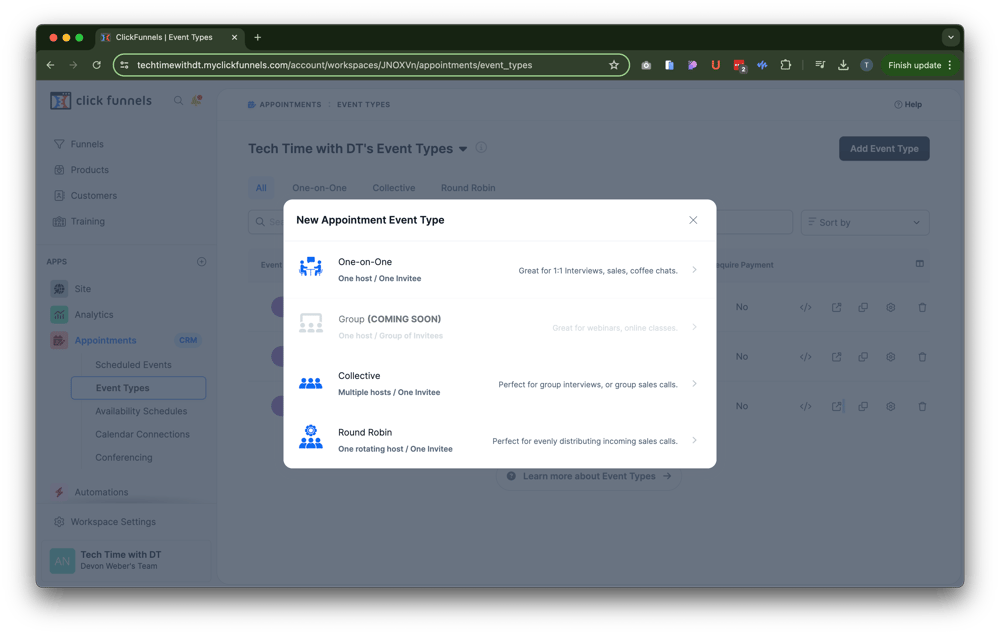
Hey everyone! Tyson here with Repair My Funnel, and today we’re diving deep into the world of ClickFunnels 2.0 appointments. Specifically, we’ll cover how to set up booking pages for scheduling calls, conferences, or one-on-one meetings using the new appointments app. Let’s get started!
Step-by-Step Guide to Setting Up Booking Pages
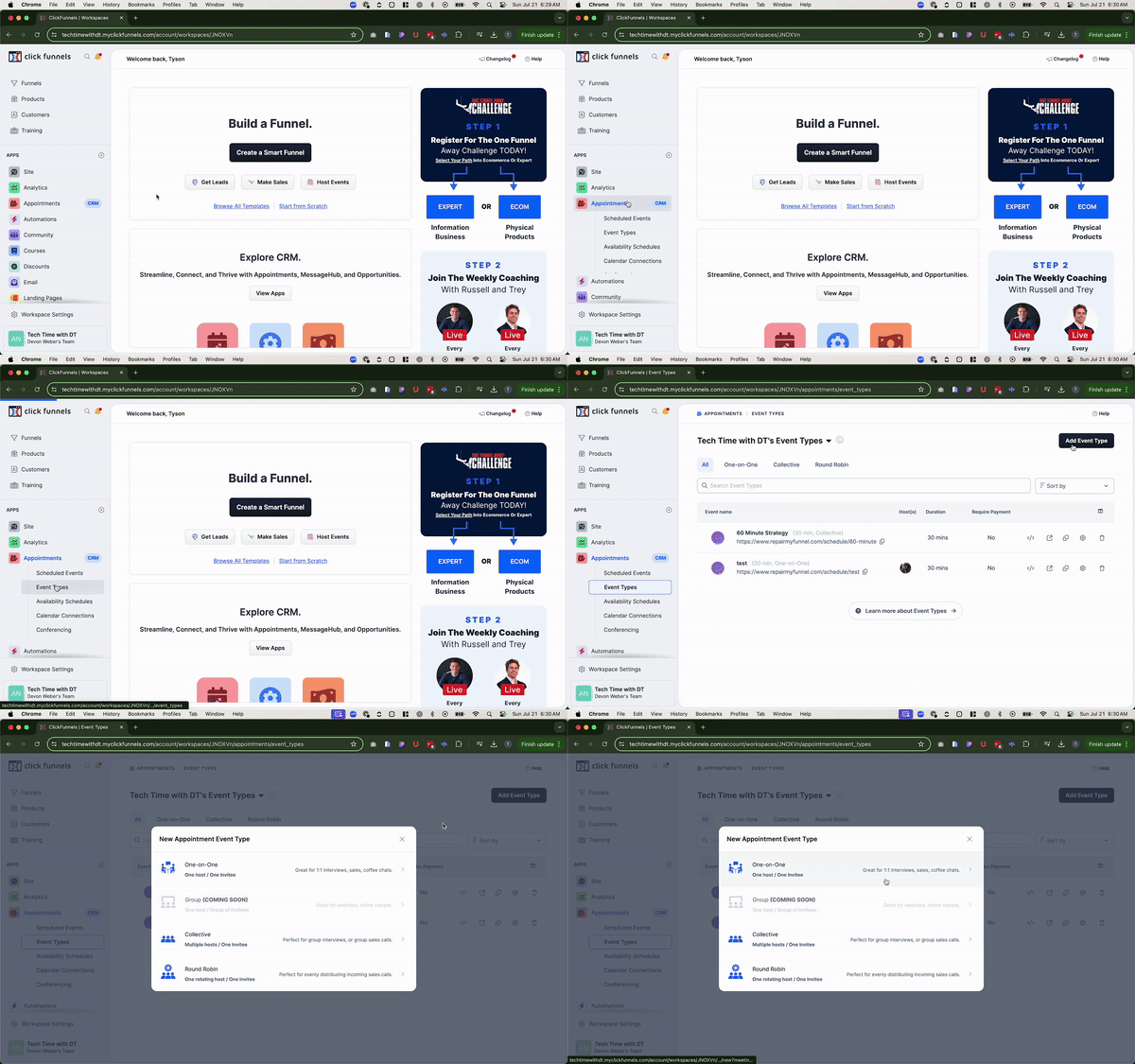
- Navigate to Appointments:
• Go to the Appointments section in ClickFunnels 2.0 and click on “Event Types.” - Add a New Event Type:
• Click on “Add Event Type.” You’ll see options like one-on-one, collective (for group calls), and round robin (for multiple team members). - Configure the Event:
• Name Your Event: Keep it simple and clear (e.g., “One-on-One Booking”).
• Domain and URL: Select your domain and create a URL for the booking page (e.g., yourdomain.com/oneonone).
• Post-Booking Actions: Choose what happens after a booking (default confirmation page, specific funnel, or URL). - Customize Event Details:
• Description: Write a brief description of what the booking is for.
• Colors: Choose a color scheme for your booking page.
• Image: Upload an image or logo for your event.
• Scheduling Options: Set availability, meeting duration, host, and location type (e.g., Zoom). - Set Booking Preferences:
• Date Range: Choose a specific date range or allow continuous booking within a set period (e.g., 30 days out).
• Buffer Times: Add buffer times before and after meetings to avoid back-to-back scheduling.
• Paid Calls: If applicable, set up paid calls by linking a product from your ClickFunnels account.
• Time Zones: Enable automatic time zone adjustment to match the viewer’s local time. - Finalize and Save:
• Click “Create Event” to finalize your setup. - Preview and Embed:
• Preview Page: Copy the URL and preview your booking page.
• Embed on Funnels: Use the “Copy Embed Code” feature to add the booking form to your funnels or landing pages using an HTML/JS element.
Why This is Beneficial
Setting up booking pages in ClickFunnels 2.0 streamlines your scheduling process by integrating it directly within your sales funnels. This eliminates the need for third-party tools, ensures a seamless user experience, and keeps everything in one place. Whether you’re setting up consultations, sales calls, or group meetings, this feature enhances your productivity and professionalism.
Final Thoughts
That’s it for today’s walkthrough on setting up booking pages in ClickFunnels 2.0. This feature simplifies scheduling and integrates perfectly with your funnels, making it easier for your clients to book time with you. If you have any questions or need further assistance, feel free to reach out to us directly at support@repairmyfunnel.com. Don’t forget to subscribe to our free Tech Time newsletter for more tips and updates delivered weekly!
Have a fantastic day, and happy funnel building!

Howdy, I'm Tyson
Owner Of Repair My Funnel
Growing your service business online shouldn't feel overwhelming or confusing. That's exactly why I created Repair My Funnel.
I've spent years mastering ClickFunnels and digital marketing systems, but more importantly, I've learned how to translate that expertise into simple, clear guidance for business owners who just want their online presence to work. My mission is helping established service businesses build professional websites, effective funnels, and reliable systems that attract and convert more clients without the tech stress.
Here on the blog, you'll discover practical strategies from our proven 5-pillar framework covering everything from building a solid website foundation to creating content that drives organic traffic. Whether you're a coach, contractor, wellness professional, or local service provider, you'll find step-by-step guides and real-world tactics designed specifically for service businesses like yours.
Ready to get actionable insights delivered weekly? Join the Spark & Scale Newsletter where I share my best strategies to help you attract more clients, streamline your systems, and grow your business with confidence.
Featured Articles

Learn how to create custom questions for your booking pages in ClickFunnels 2.0. Our comprehensive guide walks you through the process to ensure you gather all the necessary information from your clients. Enhance your booking experience with customized questions today!
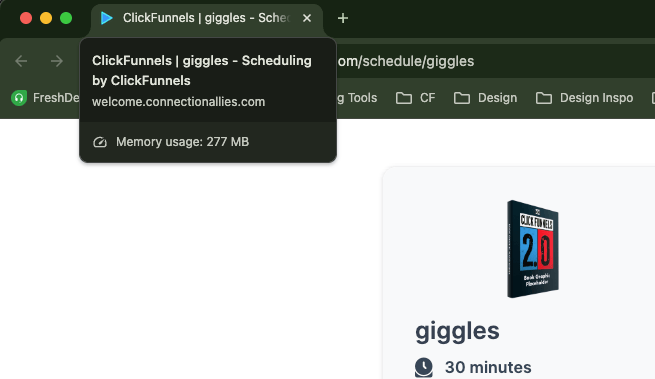
Learn how to set up custom favicon images for your booking pages in ClickFunnels 2.0. Follow our step-by-step guide to ensure your branding is consistent and professional. Enhance your site’s appearance with a branded favicon easily in ClickFunnels 2.0.

Discover the powerful features of the ClickFunnels 2.0 editor with this detailed overview. Learn about navigation, key functionalities, and tips for efficient funnel building.

Struggling to understand what your audience wants or what content to create for them? There's a simple tool that can solve this problem for you: Answer the Public. This tool helps you gather valuable insights into your audience's search behavior, allowing you to tailor your content to their needs and improve your messaging.

Latest Posts
Monday, September 02, 2024
Monday, September 02, 2024
Monday, September 02, 2024
RepairMyFunnel.com, a DT Designs LLC Product ■ All Rights Reserved © 2024-2025 ■ 1212 5th Ave N, Apt 2, Seattle, WA 98109
Privacy Policy - Terms - Disclaimer - Contact