

How to Award Points Based on Survey Responses in ClickFunnels 2.0 | Scoring Feature Explained

Surveys are a powerful tool for gathering information and engaging users within ClickFunnels 2.0. Recently, ClickFunnels added an exciting new feature—the ability to assign points based on survey responses, allowing you to score answers and create customized user journeys depending on their results.
This guide will walk you through how to implement the scoring feature for surveys, enabling you to redirect users based on their cumulative points or send them down specific funnel paths based on their survey scores.
Why Use Scoring in ClickFunnels Surveys?
The new survey scoring feature allows you to:
Step-by-Step Guide to Award Points Based on Survey Responses in ClickFunnels 2.0
1. Create a Survey in Your Funnel
To get started, ensure you have a funnel with a survey element. If not, you can add a survey step to your funnel by using the survey element in your page editor.
Once inside the editor, click on Add New Question and follow the prompts to create a question.
2. Enable Scoring for Survey Questions
Scoring is only available for specific question types, so it’s essential to set up your questions correctly.
3. Assign Points to Answers
After enabling scoring, you can assign point values to the available answers.
You can customize these point values based on the specific logic or outcomes you want for your survey.
4. Create Rules Based on Survey Scores
To determine what happens when users reach a certain score, you will need to create rules that dictate their journey through the funnel.
This step allows you to create various paths for users depending on their total score.
5. Define Outcomes Based on Scores
Once you’ve set up the rules, you can define what happens when a user meets the criteria.
You can create as many different outcomes as needed, depending on the points users earn during the survey.
Example of a Scoring-Based Survey Flow
Let’s walk through an example setup:
If a user selects “Blue,” they are awarded 100 points. Based on your rules, anyone with 100 points could be redirected to an exclusive offer page, while users with lower points might be directed to a different funnel step or offer.
Advanced Options
Multiple Rules and Paths
You can set multiple rules for different score thresholds. For example:
This flexibility allows you to create more personalized and customized journeys for your users based on their survey performance.
Redirect, Next Question, or End Survey
When setting rules, you have multiple options for the next step:
Final Thoughts
The scoring feature in ClickFunnels 2.0 surveys allows you to add an interactive and personalized element to your funnel. By awarding points based on user responses, you can customize their journey, redirect them to different offers, or even end the survey based on the total score. This powerful feature opens up many possibilities for gamification and personalized marketing.
If you have any lingering questions or need further assistance, feel free to reach out for support. And don’t forget to subscribe to our Tech Time newsletter for more tips, tricks, and guides sent directly to your inbox every Monday.
Additional Resources
For further assistance and more in-depth guides, check out these resources:
If you need personalized help, contact our support team at support@repairmyfunnel.com.
Additional FAQs
Can I use scoring for all question types in ClickFunnels surveys?
No, scoring is only available for Choice and Image Choice questions. Input fields do not support scoring at this time.
How do I redirect users based on their total score?
After assigning points to the survey answers, use the Edit Rules function in your survey to create rules based on score thresholds. Then, you can use the Change Target option to redirect users based on their score.
Can I create multiple outcomes based on different score ranges?
Yes, you can set multiple rules for different score ranges. For example, users with a score above 100 might be redirected to an offer page, while those with lower scores might see a different page or offer.
Can I add scoring to existing surveys?
Yes, you can enable scoring on any Choice or Image Choice questions in your existing surveys. Just toggle the Enable Scoring option and assign point values to each answer.
Does scoring work with ClickFunnels 2.0 surveys only?
Yes, this feature is only available in ClickFunnels 2.0, not Classic.

Howdy, I'm Tyson
Owner Of Repair My Funnel
Growing your service business online shouldn't feel overwhelming or confusing. That's exactly why I created Repair My Funnel.
I've spent years mastering ClickFunnels and digital marketing systems, but more importantly, I've learned how to translate that expertise into simple, clear guidance for business owners who just want their online presence to work. My mission is helping established service businesses build professional websites, effective funnels, and reliable systems that attract and convert more clients without the tech stress.
Here on the blog, you'll discover practical strategies from our proven 5-pillar framework covering everything from building a solid website foundation to creating content that drives organic traffic. Whether you're a coach, contractor, wellness professional, or local service provider, you'll find step-by-step guides and real-world tactics designed specifically for service businesses like yours.
Ready to get actionable insights delivered weekly? Join the Spark & Scale Newsletter where I share my best strategies to help you attract more clients, streamline your systems, and grow your business with confidence.
Featured Articles
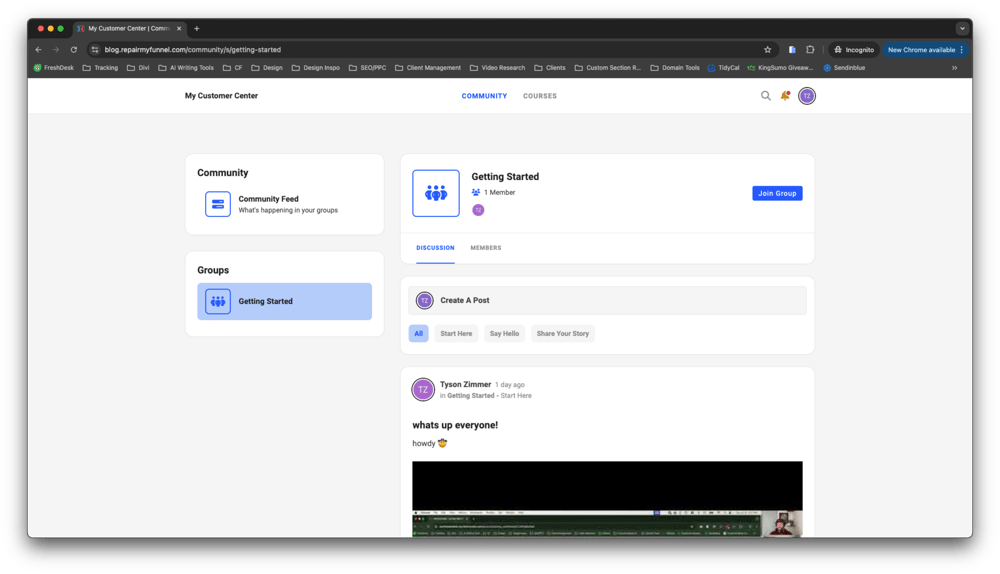
Learn how to enable and use the new group subscription feature in ClickFunnels 2.0 communities. This guide explains how your customers can join specific groups to enhance their community experience.

Discover how to use the search functionality in ClickFunnels 2.0 communities. This quick guide explains how to find specific posts, enhance user engagement, and manage content more effectively.

Discover how to share videos and images in ClickFunnels 2.0 communities with this new feature! Learn how to create engaging posts that boost interaction and connect with your audience.

Learn how to efficiently navigate your ClickFunnels 2.0 courses using the new search feature! This quick tutorial shows you how to search for specific lessons and content within your course, making it easier than ever to find what you need.

Latest Posts
Monday, October 07, 2024
Monday, October 07, 2024
Tuesday, October 01, 2024
RepairMyFunnel.com, a DT Designs LLC Product ■ All Rights Reserved © 2024-2025 ■ 1212 5th Ave N, Apt 2, Seattle, WA 98109
Privacy Policy - Terms - Disclaimer - Contact